▮ CipherChronicle

Android app

The keyboard that encrypts your messages as you type.

Type in plain text, send ciphertext, in any messaging app. Build your very own cipher from more than 160 methods, from the Caesar cipher to Sherlock Holmes’ dancing men. Nothing leaves your phone.

  • Free, no ads
  • No account
  • No Internet connection
  • Android 8 or later

Features

Encryption, right where you type

A keyboard, an app and a text-selection menu: encrypt and decrypt without leaving your conversation.

Keyboard

Type in plain text, send ciphertext

Plain text stays in the keyboard; the ciphertext shows up above the keys, like a translation. Confirm and it is inserted in the open app (messaging, email, notes…). As text, or as an image for symbol ciphers such as the dancing men.
Your methods, your rules

Build your very own cipher

Chain methods in whatever order you like: Caesar, then Vigenère with your own key, then Enigma… More than 160 methods, powered by the same engine as the website workshop. Name your cipher: it is ready in the keyboard and in the app.

Text-selection menu

Encrypt or decrypt from any app

Select some text: “Encrypt” and “Decrypt” show up in the menu, next to “Copy”. A received message reads in one tap.

Glyph pad

Copy the symbols, read the message

A message in symbols on paper, in a photo or on a screen? The glyph pad lets you copy it sign by sign, then decrypt it.

Share by QR code or link

Hand over your cipher in one scan

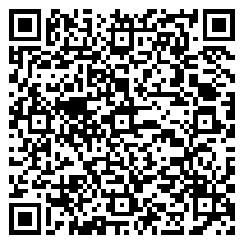
Every cipher has its own QR code and link. Your friend scans it with the camera or from the app’s home screen, or opens the link you sent: the app opens, and you both share the same methods and keys to write to each other. Without the app, the link opens the cipher in the website’s workshop. No account, no server: the cipher travels in the link, never through our servers.

QR code of the “Midnight” demo cipher, to scan with the camera or the app

Midnight

Caesar (3) → Vigenère (LUNE)

A real QR code: scan it with the camera or the app to add this demo cipher.

And also

  • “Custom methods” mode to try a chain without saving it
  • Light or dark theme
  • French and English interface
  • AZERTY or QWERTY keyboard

Privacy

Your messages stay yours

  • No data collected
  • No data shared with third parties

As declared in the “Data safety” section of the Google Play listing.

  • No account

    Nothing to sign up for, nothing to remember: the app works right away.

  • No Internet connection

    The app has no permission to access the network: it cannot send anything.

  • Plain text stays in the keyboard

    Only the ciphertext is inserted in the app you are typing in.

  • A backup that belongs to you

    Backup and sync go through a file you choose, password-protected if you wish.

Read the app privacy policy

Frequently asked questions

  • Which Android version do I need?

    Android 8.0 or later.

  • Is the app free?

    Yes: free, with no ads and no account to create.

  • Is there an iPhone version?

    Not at the moment: the app is Android only. On iPhone, the website workshop runs in your browser. Try the engine in your browser

  • Does the app need the Internet?

    No. It does not even have permission to access the network: every encryption and decryption runs on your phone, and there is no account to create.

  • Which methods are available?

    More than 160, powered by the same engine as the website: substitutions (Caesar, Atbash, affine), polyalphabetic ciphers (Vigenère, Beaufort), transpositions, machines (Enigma), field ciphers (ADFGVX, Playfair), codes (Morse) and symbol alphabets (dancing men, Pigpen…). Browse every method

  • Are my messages really protected?

    Historical methods are made for fun and learning: a well-encrypted message will puzzle your friends, but not a determined cryptanalyst. To protect sensitive data, use a modern encrypted messenger.

  • How do I back up my ciphers or move them to another phone?

    Your ciphers stay on your phone. To back them up or sync them, the app writes them to a file you choose (Drive, Dropbox, local storage…), password-protected if you wish. To give a single cipher to someone, show them its QR code: they scan it from the app.

  • When will the app be available?

    It is available on Google Play.

Your keyboard, your cipher

Install the app and build your first cipher in seconds.